
3D Configurator Engine
Configure it in 3D. Price it instantly.
A modular 3D configuration engine for designing and pricing buildable structures in the browser, assembling validated modules into a complete specification.

Design buildable structures in the browser
Shape a real structure in 3D without installing anything.
Assemble from validated, compatible modules
Every module fits, so every design can actually be built.
Price each configuration as you design
The cost updates the moment the design changes.
Export a complete specification
Take a finished design straight to a full specification.

Static quotesLive configuration
Designs priced and specified as they are built, in the browser.
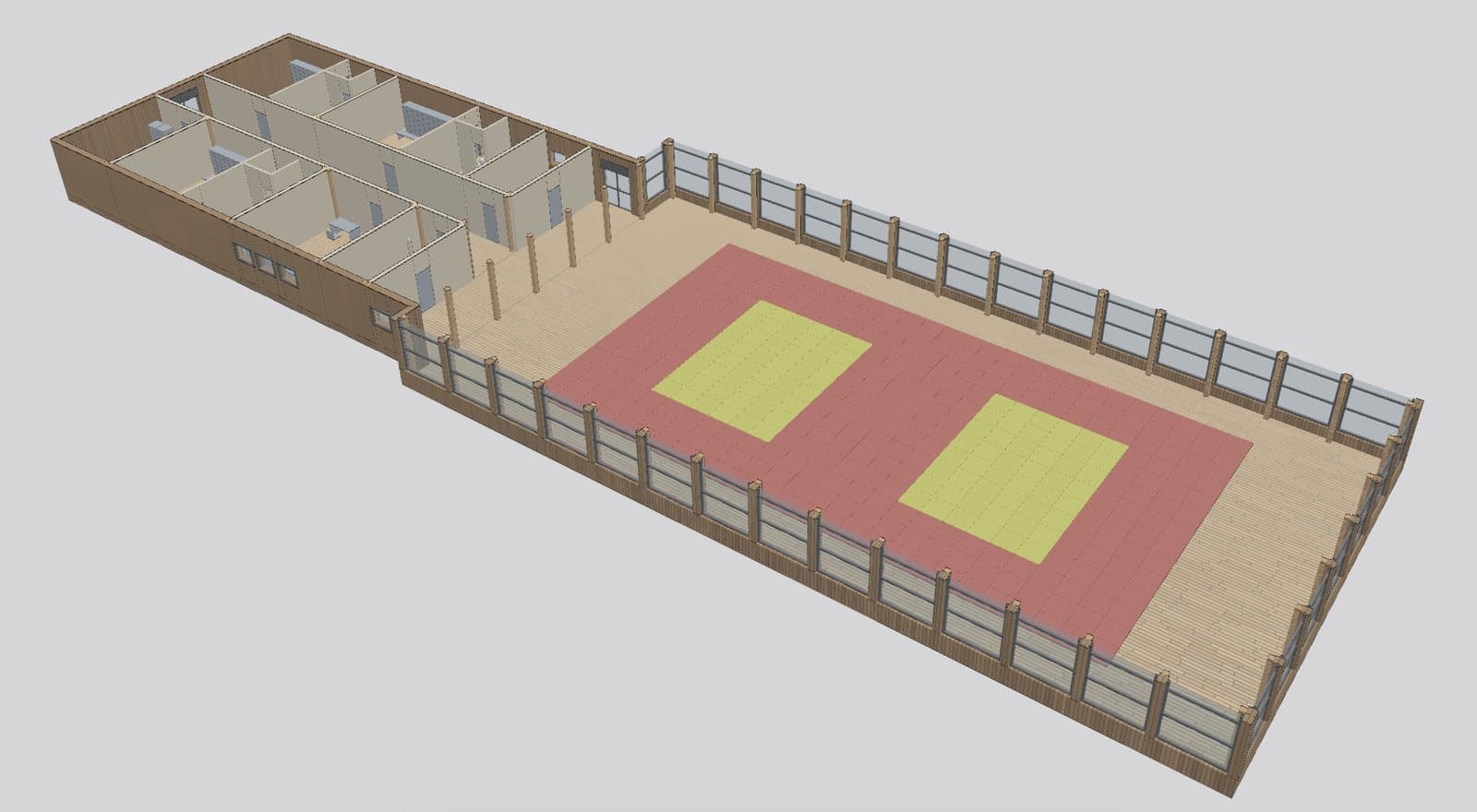
Live 3D model
Every module assembled into one building
The engine rebuilds the whole structure in the browser from fixed, validated components each time the design changes. A cut view at ceiling height shows every room, wall, post and glazed hall bay in context.
- Section cut at ceiling height reveals the full layout
- Room modules with shared walls, doors and fixtures
- Hall built from posts, glazing and mats laid to a grid
- Rooms and hall joined into one connected footprint
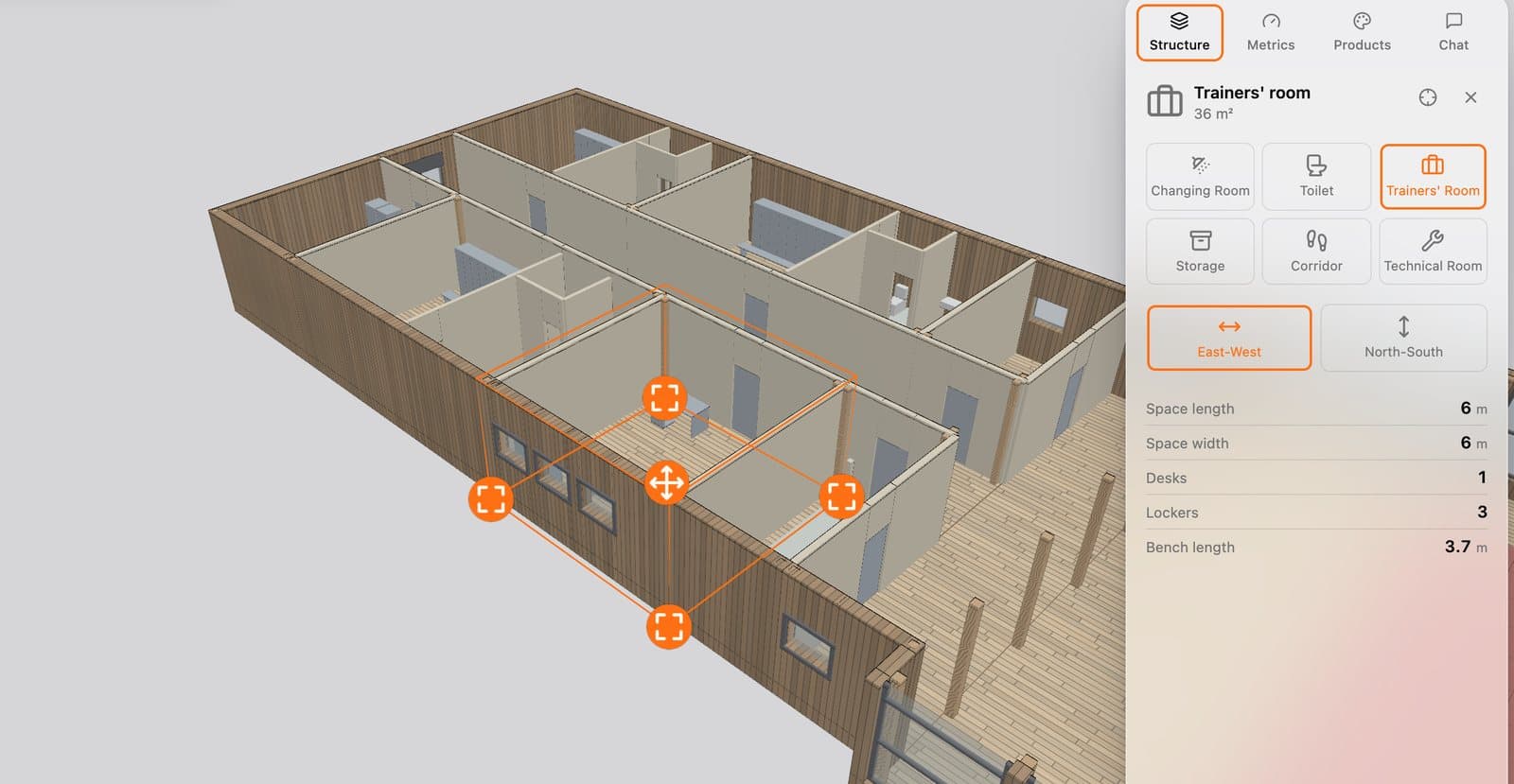
Module editing
Select a module, change it in place
Click any module to edit it directly in the 3D scene. Handles let you move and resize it, and the side panel shows its type, orientation and the parameters that drive its fit-out.
- Handles to move and resize the selected room
- Swap room type: changing room, toilet, storage and more
- Set East-West or North-South orientation
- Length, width, desks, lockers and bench length at a glance
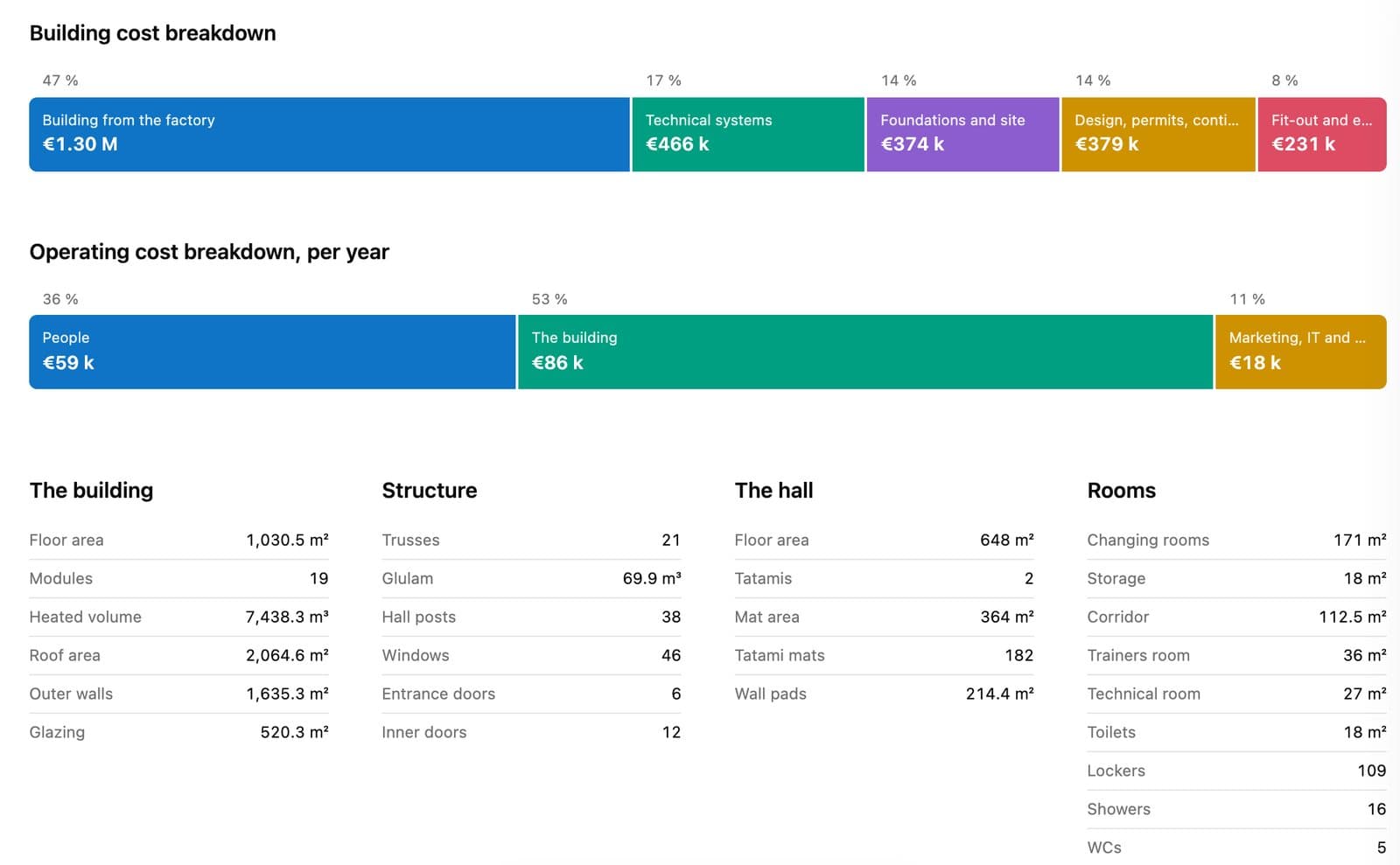
Pricing and quantities
A costed specification for every design
Each design is priced as you work. Capital and operating costs are split by category, and the quantities behind them are listed for the building, the structure, the hall and each room type.
- Building cost split from factory build to fit-out
- Operating cost per year broken down by category
- Quantities for trusses, glulam, windows and doors
- Room areas and fixture counts for the whole scheme
Solutions catalogue
Explore more solutions
Proven products your organisation can deploy as-is, customise, or extend.
- MarketingTechMarketing Management PlatformAn integrated platform for managing marketing campaigns, partnerships, commercial relationships, digital assets, and performance analytics in one centralised environment.Explore solution

- E-commerceE-commerce PlatformA flexible digital commerce solution for managing product catalogues, online storefronts, customer journeys, and transactions across multiple sales channels.Explore solution

- MediaTechMedia & Streaming PlatformA unified digital environment for publishing, managing, and distributing live streams, video content, events, and editorial materials across digital channels.Explore solution

- Business ManagementPerformance Management PlatformAn integrated solution for managing individual and team performance, planning activities, tracking progress, and analysing results through centralised dashboards and reporting tools.Explore solution

- Business OperationsOperations & Booking PlatformA configurable platform for managing bookings, resources, pricing, customer interactions, and operational workflows through a unified management system.Explore solution

- Digital Infrastructure / AIWebsite & Workflow Automation PlatformA flexible digital platform combining website management, content publishing, and AI-powered workflow automation to simplify business operations and reduce repetitive manual tasks.Explore solution

Book a demo
See 3D Configurator Engine in action.
Tell us a little about your organisation and we will walk you through the product — and how it could be deployed as-is, customised, or extended for you.
- 1Your project
- 2Book a call